
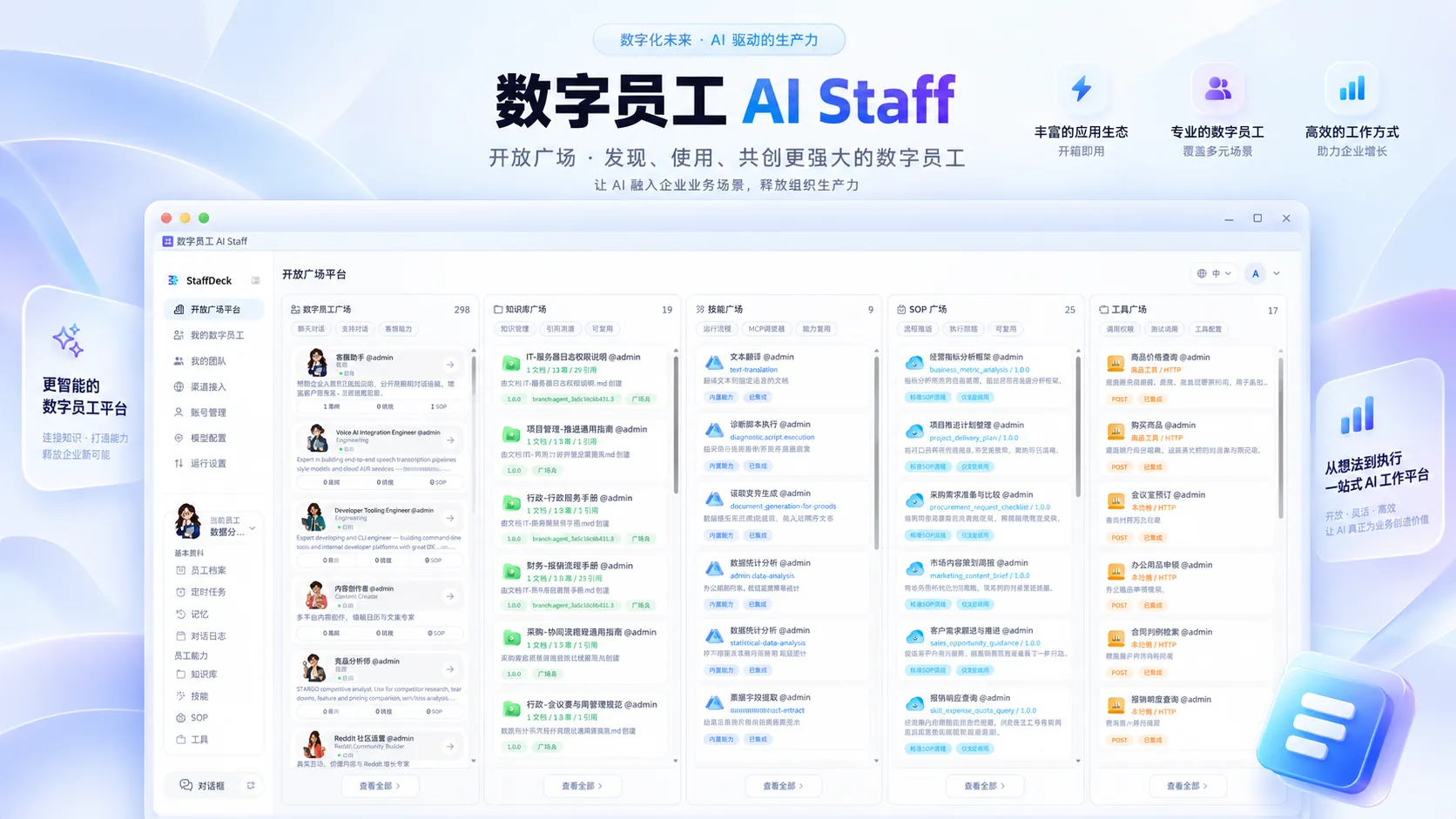
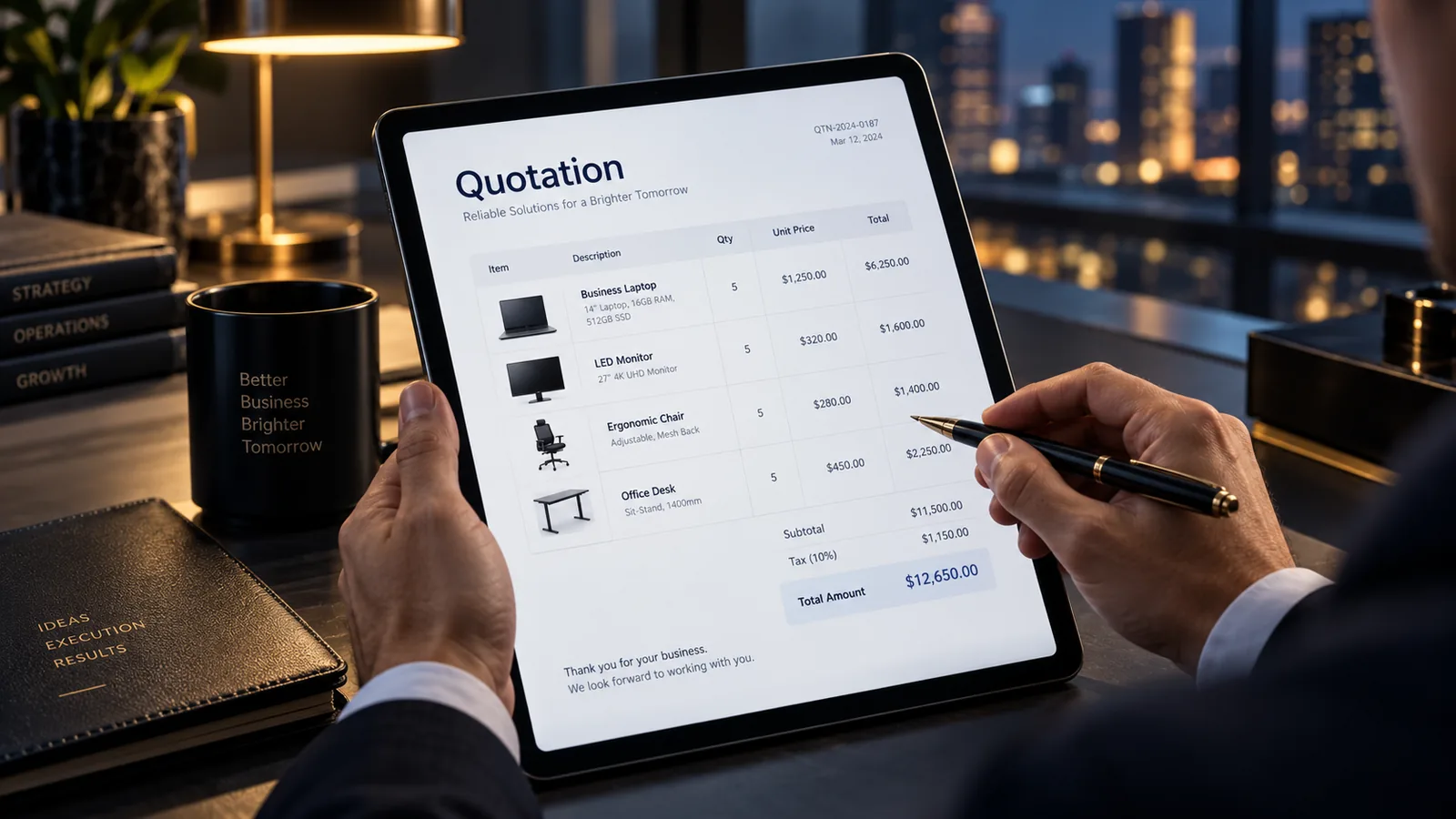


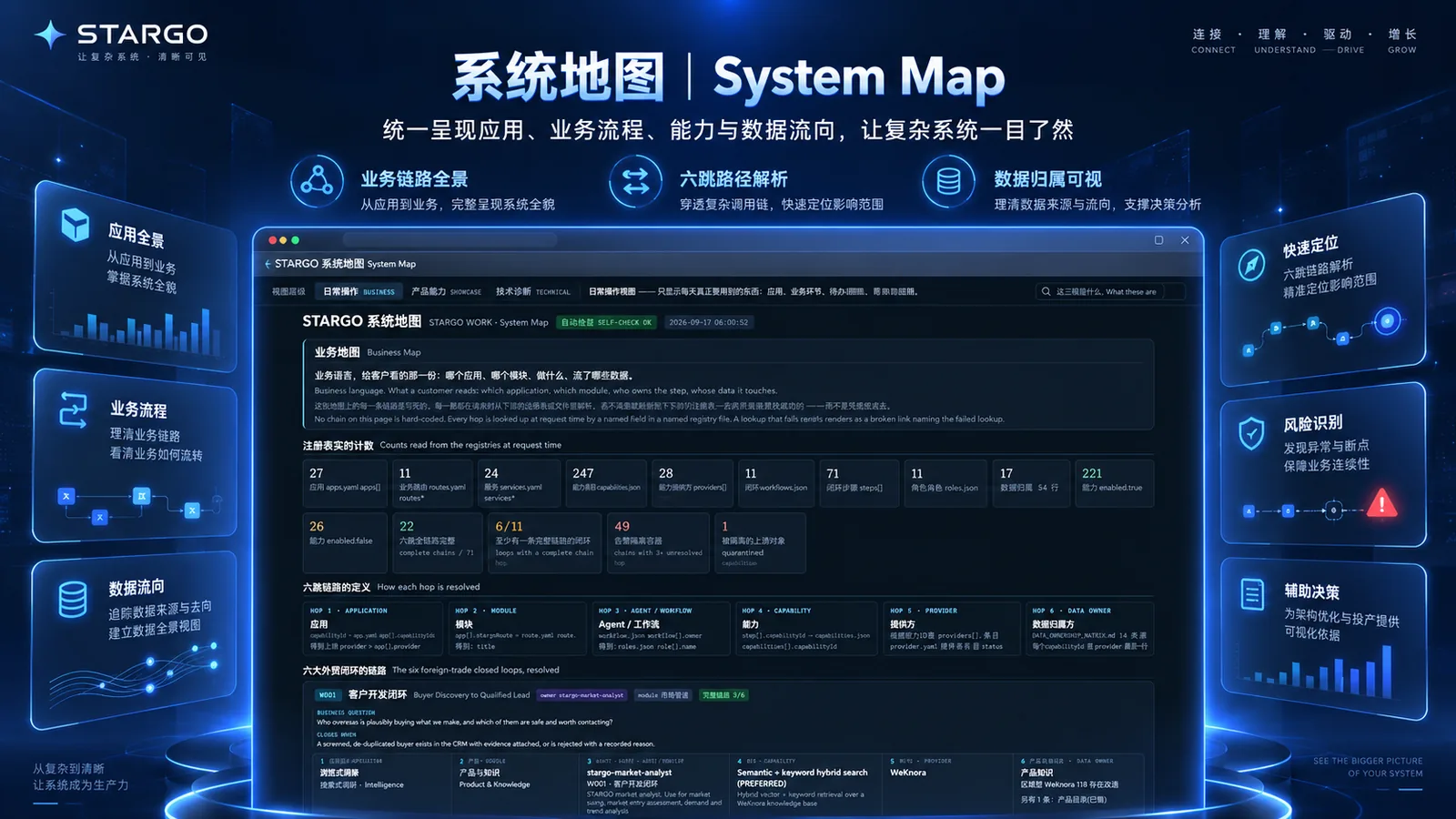
















Find the right prospects

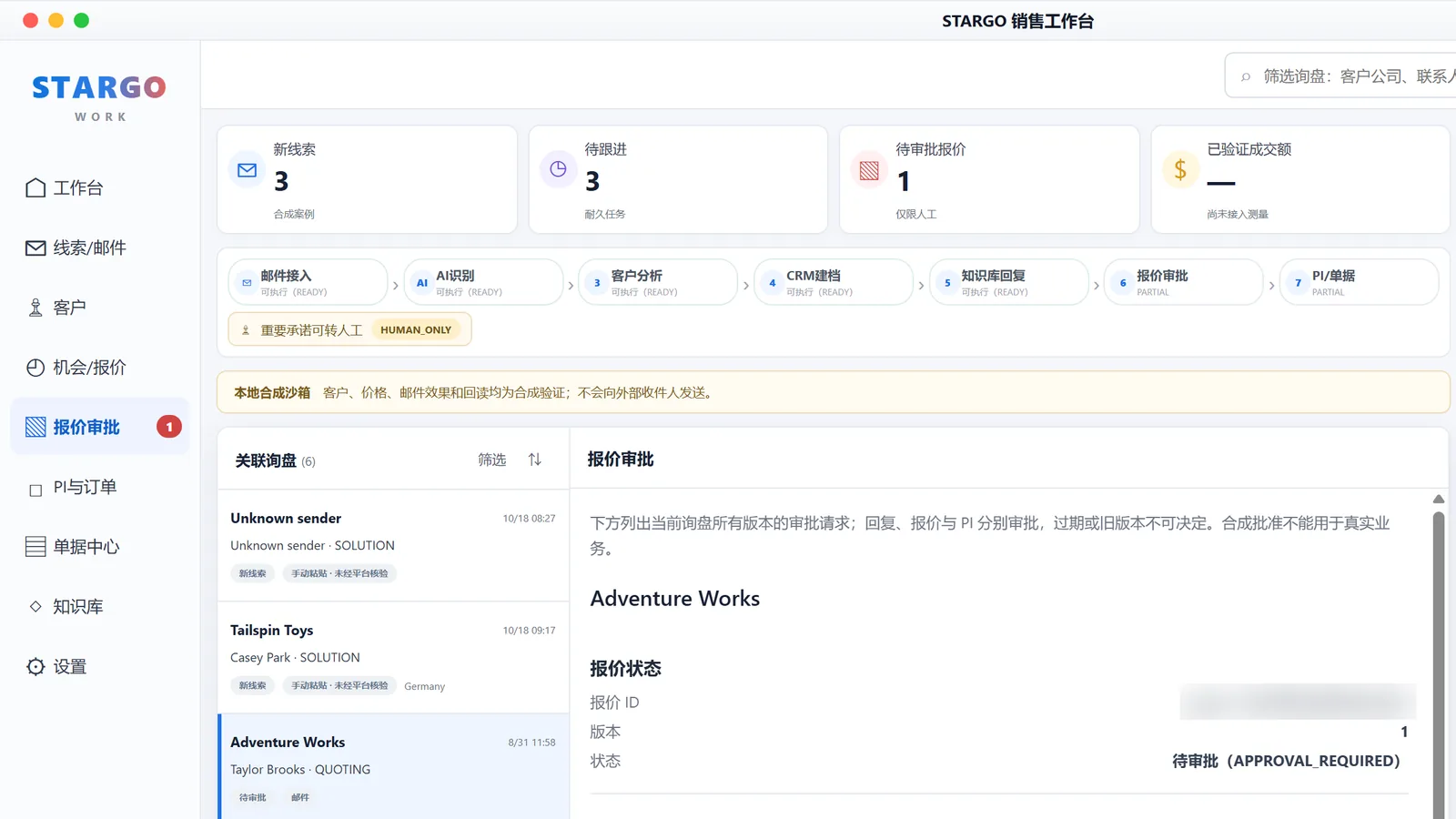
Move conversations toward orders

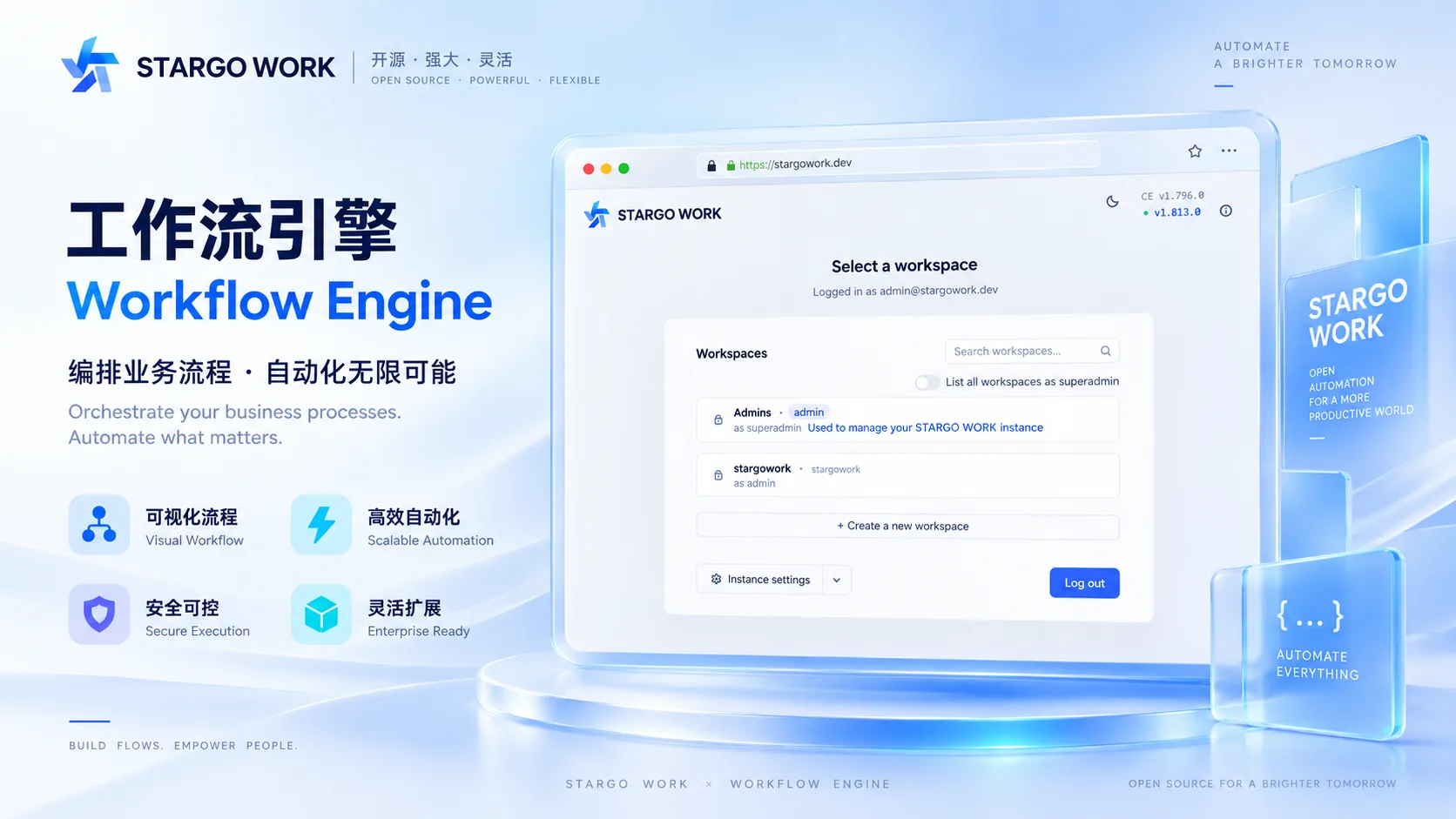
Connect sales with operations

Create reusable marketing assets

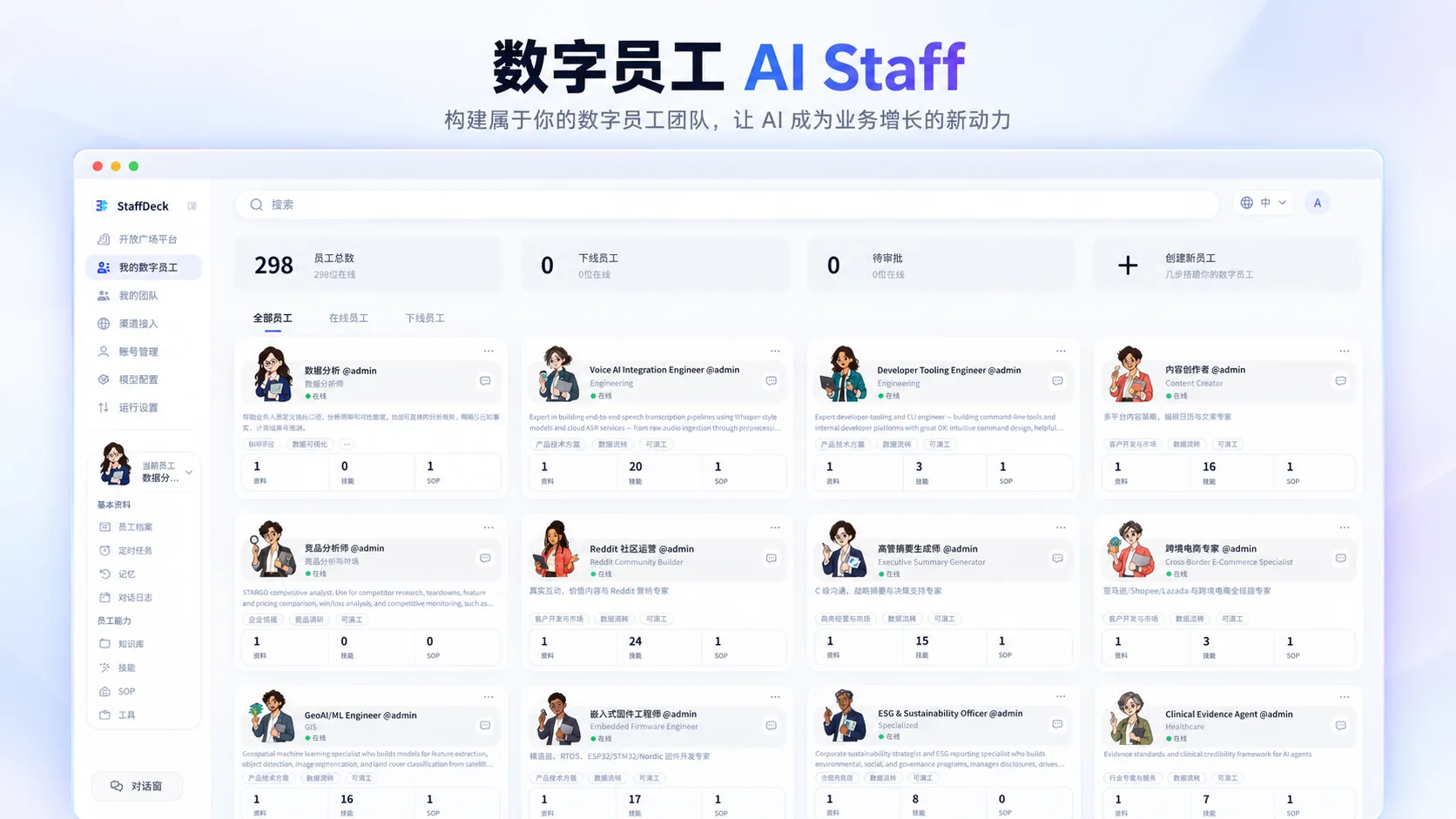
Put AI specialists to work together

A browser-based desktop AI operating system for manufacturers and export teams. Growth OS finds prospects; Sales Desk advances sales. ERP, creative work and 288 cross-functional AI roles support the business, with your team in control.

© 2026 STARGO WORK

STARGO

WORK

(For manufacturing & global trade)

Find the customer.

Carry it through to

quotes.
delivery.
repeat orders.
quotes.
Growth OS finds accounts, researches the buyer and qualifies the opportunity. Approved prospects move into Sales Desk for conversations, product matching, quotations and order follow-through, supported by operations, creative work and AI teams. Core workflows are evolving; availability follows enterprise configuration and agreed delivery scope.
STARGO
Growth OS
Find and qualify accounts
STARGO
Sales Desk
Approved prospects, carried forward
Quotes & PI
Part of Sales Desk
Card icon
ERP & delivery
AI creative
Card icon
AI teams

(288 AI roles · working as teams)

288 specialized AI roles. Across the enterprise.

288

specialized AI roles

across

ten enterprise functions
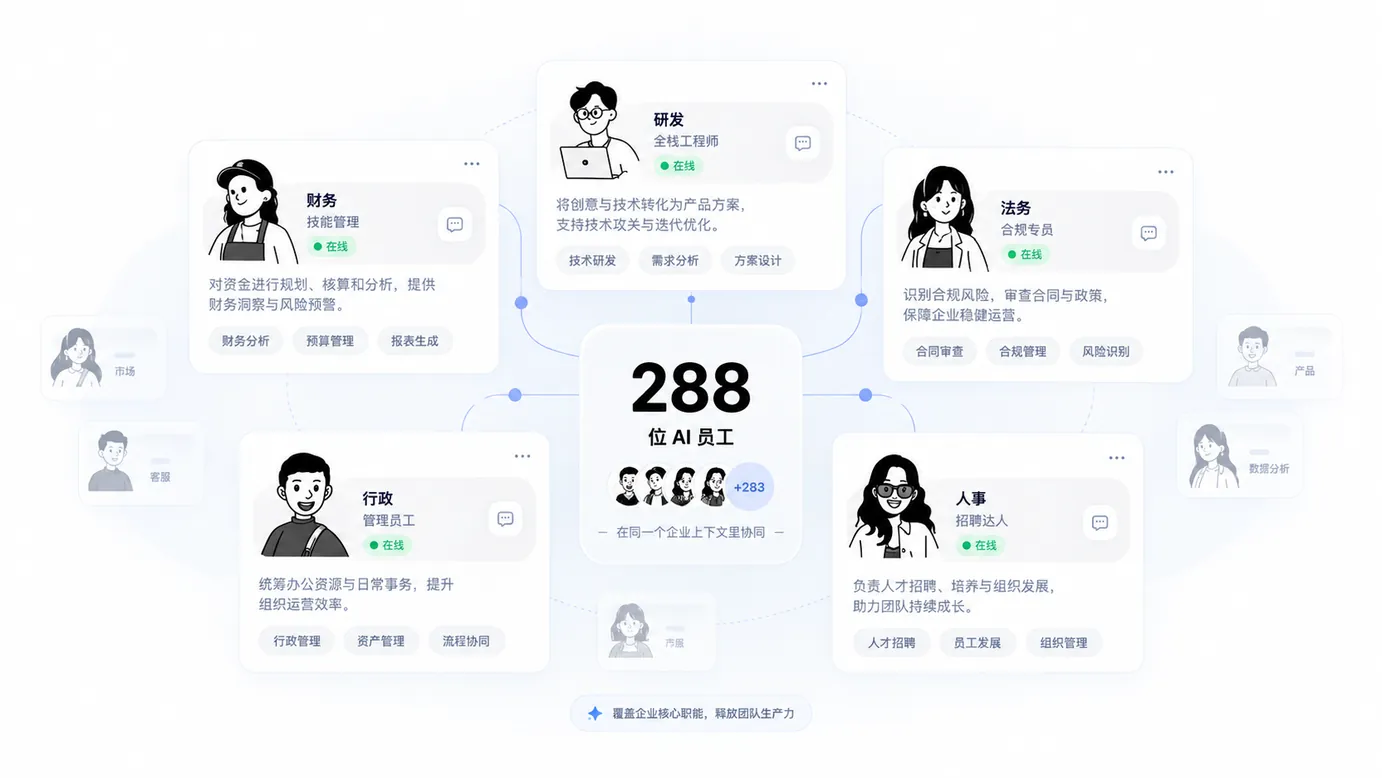
(Teams by task)

288
Stargo Work

AI prepares.

You decide.

(Humans stay in command)

Approved ≠ sent.

Submitted ≠ done.

(Illustrative approval workflow)

Step 1

Quote draft prepared

Terms exceed the rule; evidence attached

Needs an authorized reviewer

Step 2

Approve this version

Approved version kept

Sending is confirmed separately.

Find prospects.

Understand needs.

Advance orders.

Create content.

Coordinate work.

(One business journey)

(Keep scrolling)

(Five business stages)

(001)

Discover

The Growth OS home: onboarding progress and the two starting points, finding customers and sending first emails, each confirmed with you before it runs — Illustrative product interface · demo data

Research accounts, contacts and buying signals around products, target markets and customer types, then prioritize outreach. Live data and outreach require authorization.

(002)

Sell
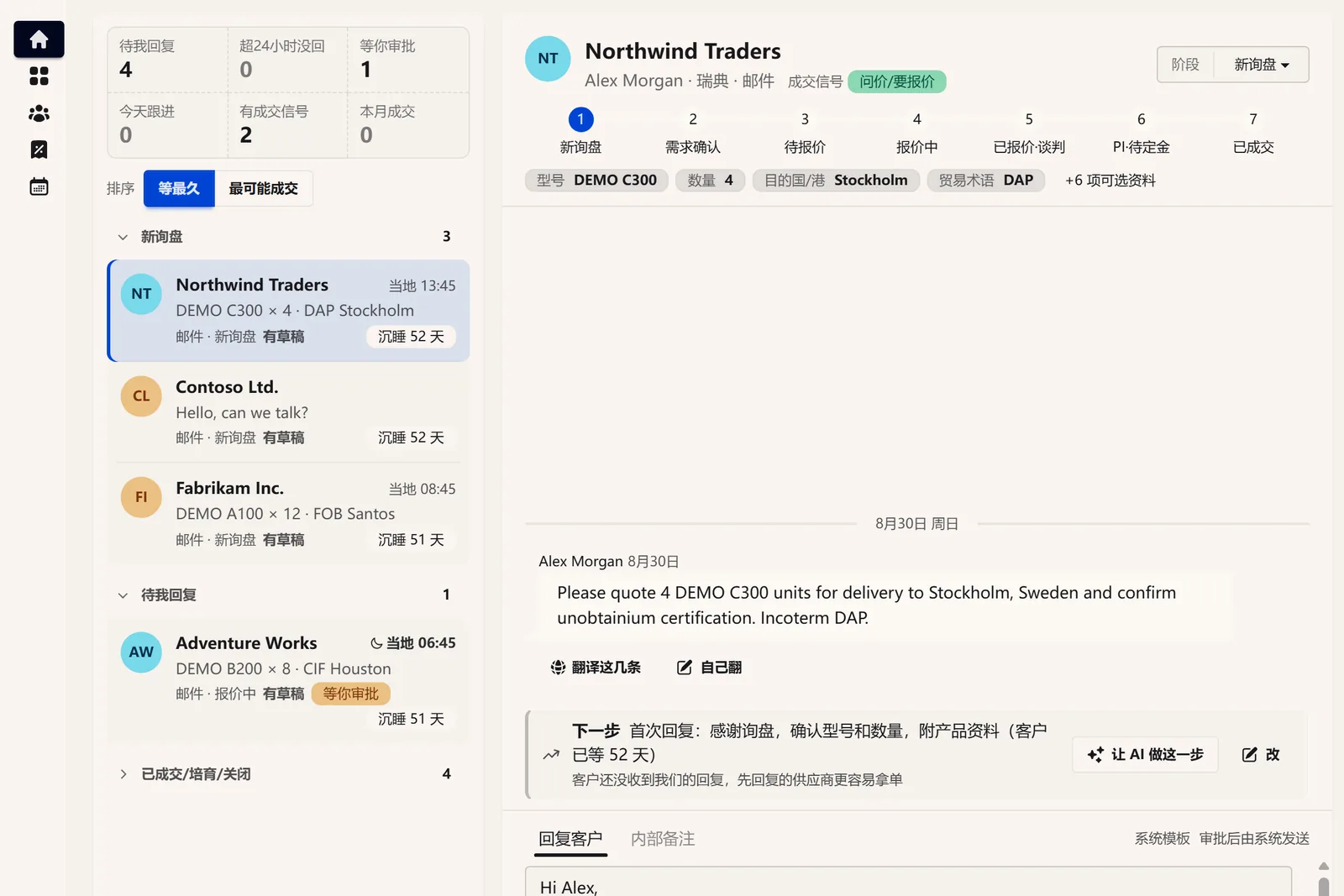
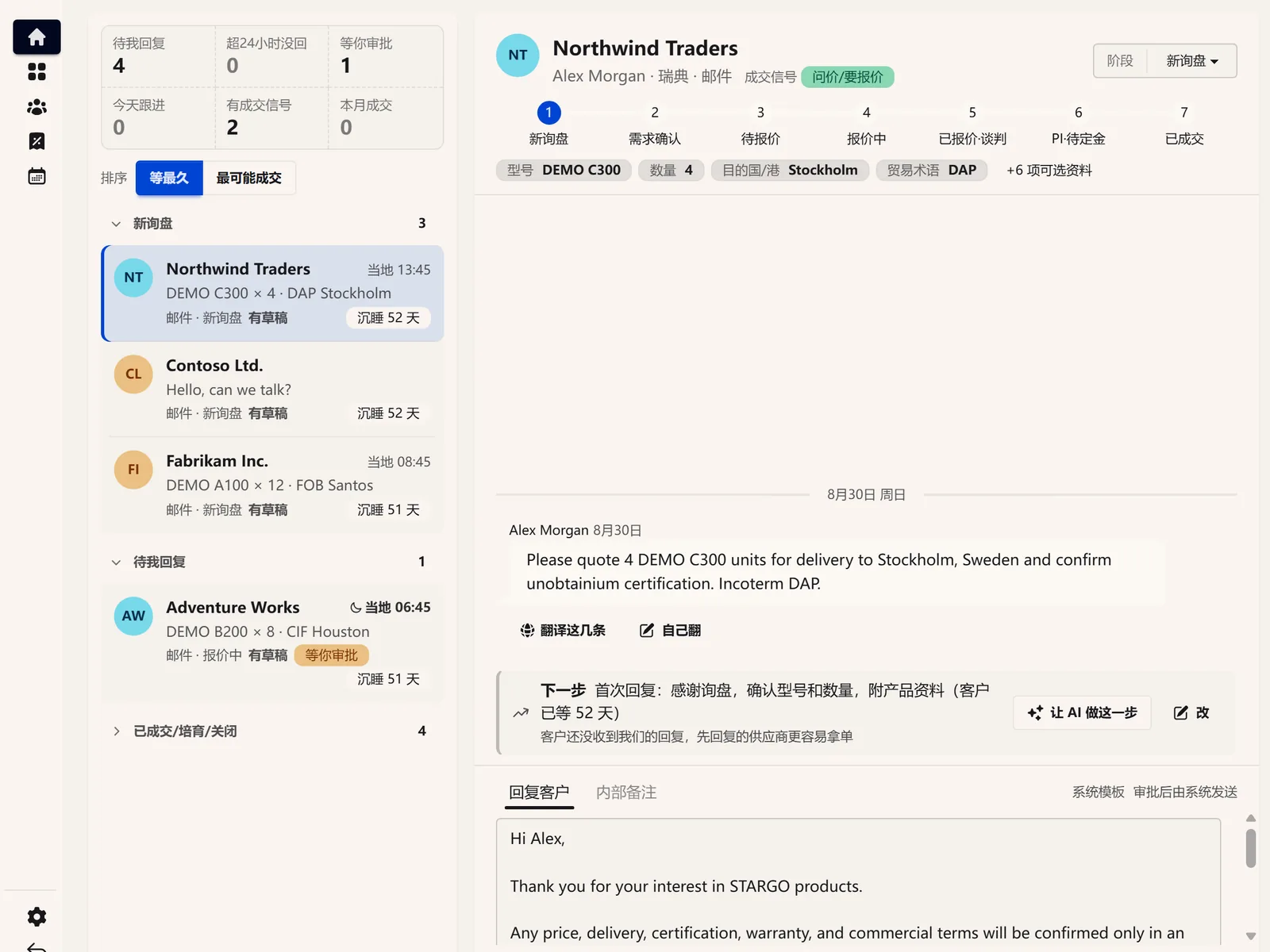
Sales Desk: the inquiry list, the model, quantity, destination and trade term pulled out of one inquiry, and the suggested next step — Illustrative product interface · demo data

Bring prospects and inquiries into Sales Desk for customer records, replies, product fit, quotes, approvals and PI. Channel messaging and handoffs are integrated and validated one by one.

(003)

Deliver
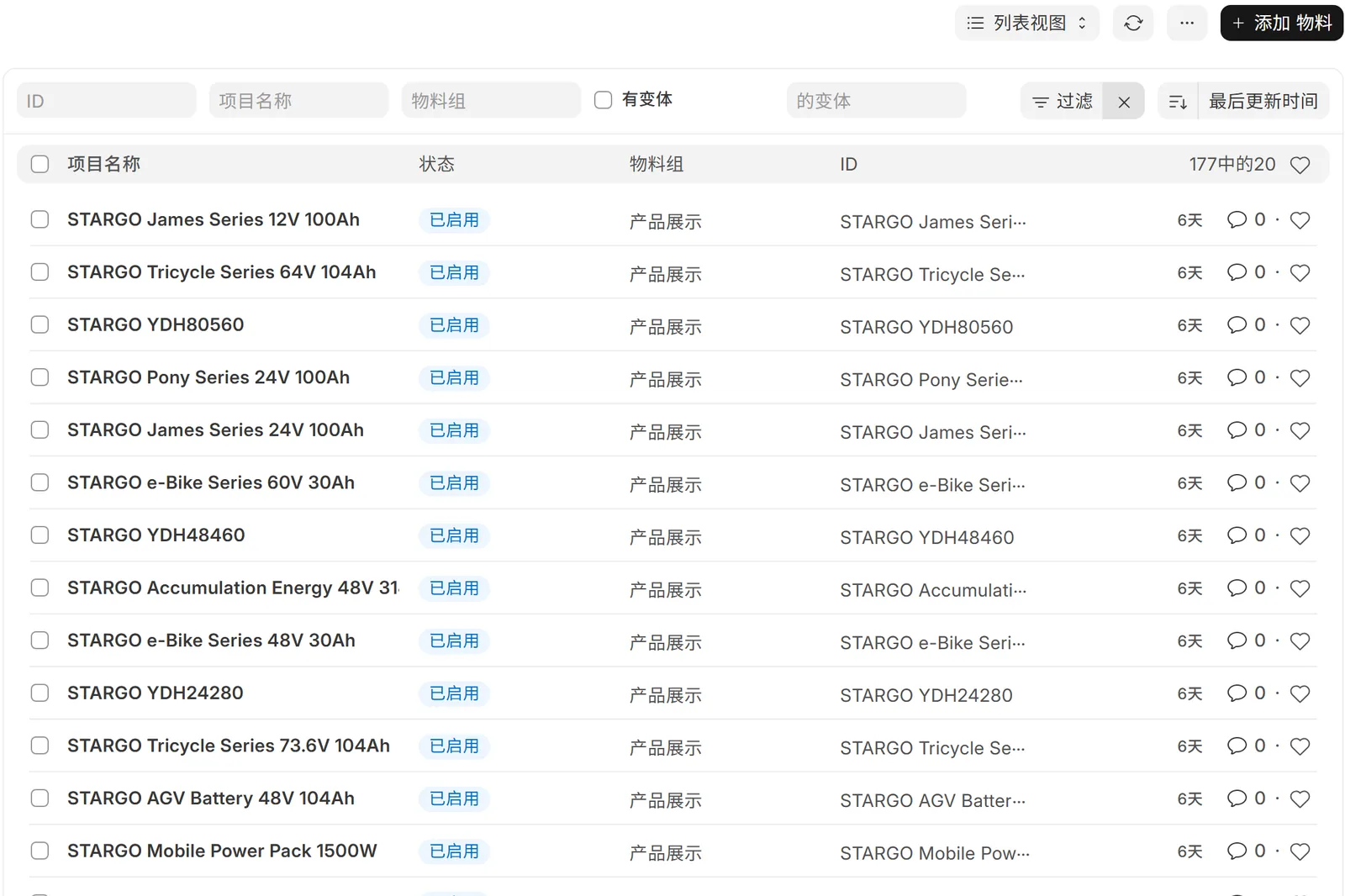
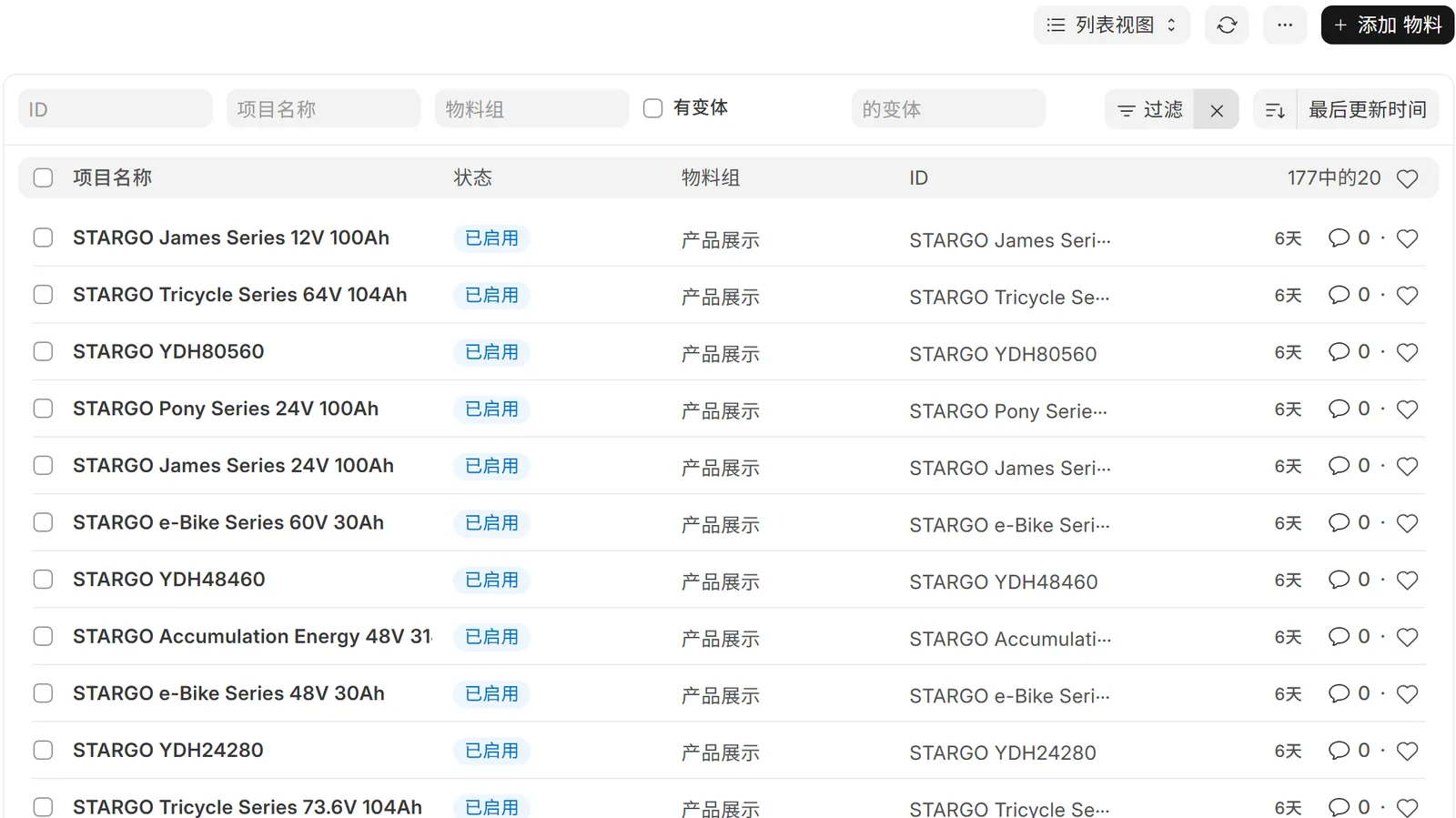
The ERP item list: the name, status and item group of 177 STARGO products — Illustrative product interface · demo data

Connect products, purchasing, stock, production, quality, orders and shipping records with the sales commitment. Connected and validated according to the enterprise systems in use.

(004)

Collect & support
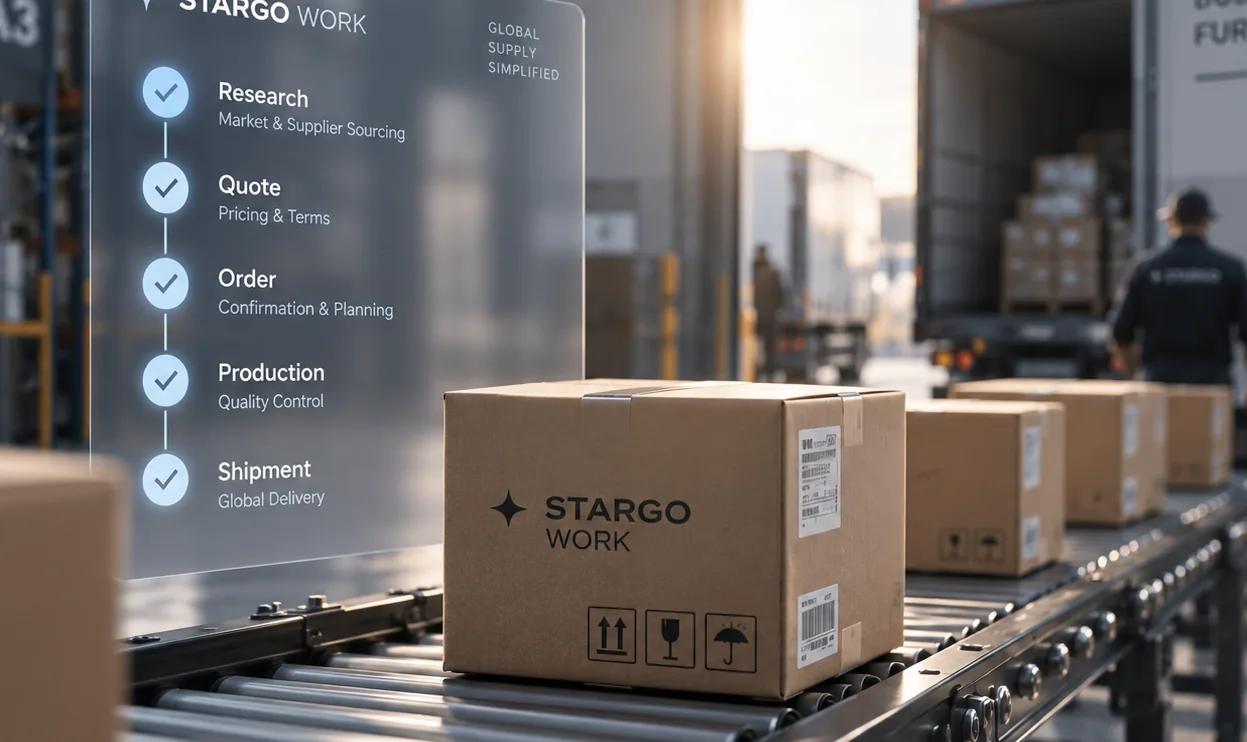
Coordinate payment milestones, reconciliation, logistics, trade documents, export tax-rebate materials and customer support. Connected and validated according to the enterprise systems in use.

(005)

Retain & improve
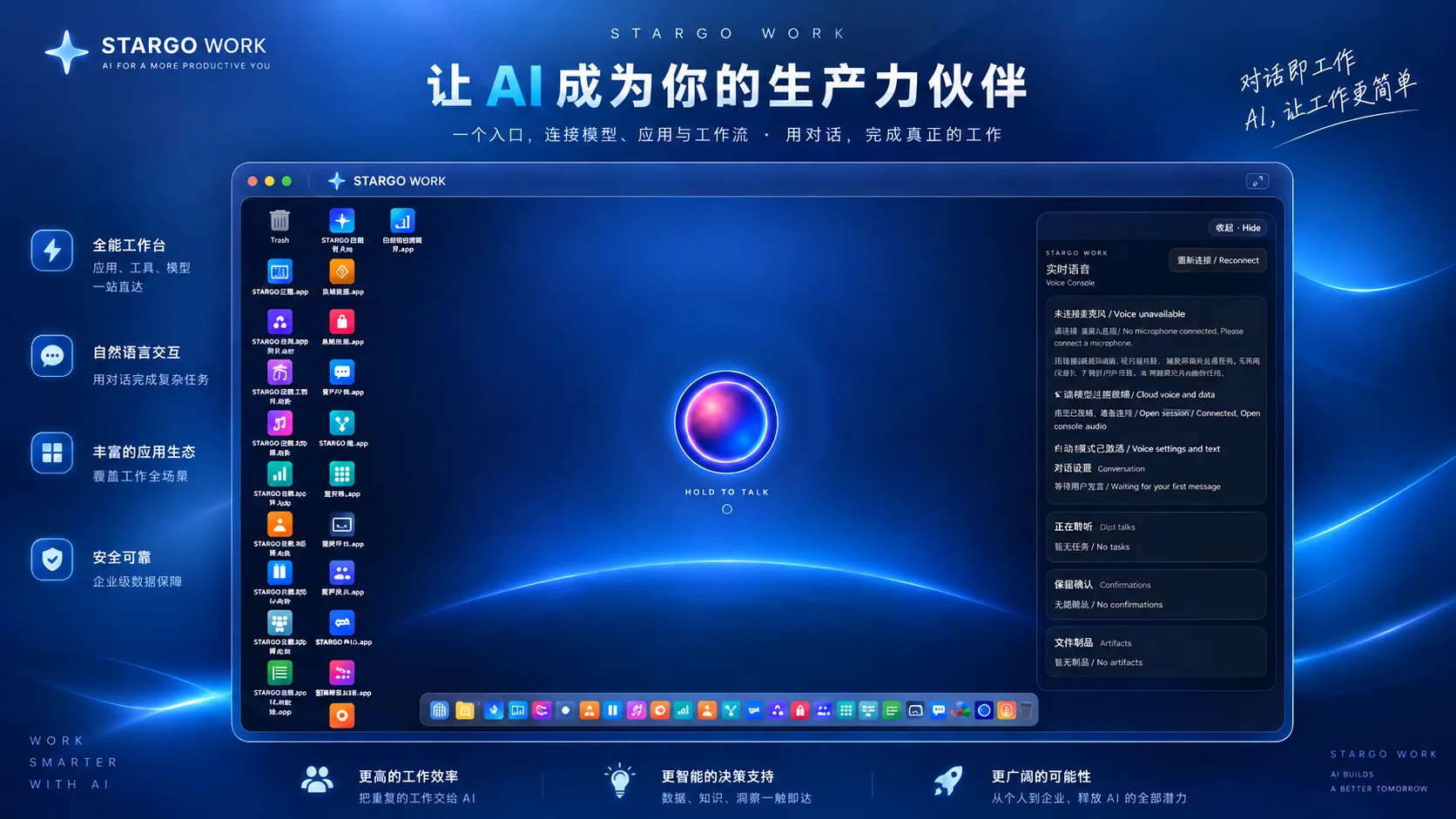
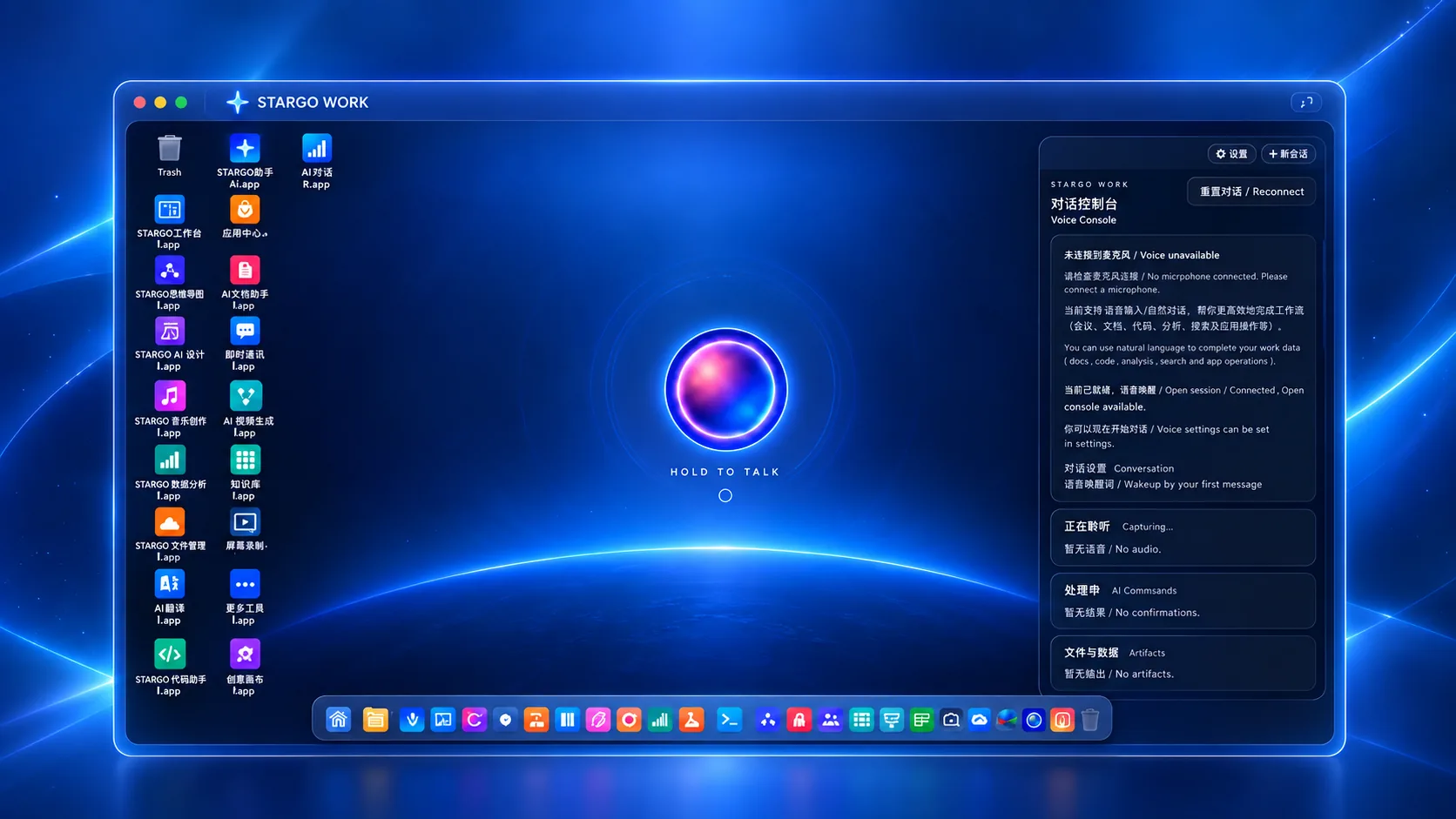
The workspace home: conversation, applications and the voice console from one entrance — Illustrative product interface · demo data

Retain preferences, outcomes and next steps, identify reorder opportunities and review working methods. Proactive reminders and long-term memory are extended in stages.

(Two engines · two business areas)

Two core engines, connected to operations and creative work

Growth OS · Prospecting
Sales Desk · Trade sales
ERP · Operations
AI Creative · Images & video
The growth control tower: market signals, prioritized opportunities and the day’s decisions, with questions about the same account beside them — Illustrative product interface · demo data

Growth OS · Prospecting

Discover target accounts, research companies and contacts, and assess buying signals. Pass approved prospects, product interests and next actions to Sales Desk. Live data and outreach require authorization.
Sales Desk inquiry handling: inquiries ordered by waiting time on the left; on the right one inquiry’s model, quantity, destination and trade term, and a reply draft that is sent only after approval — Illustrative product interface · demo data

Sales Desk · Trade sales

Bring prospects and inquiries into one sales workspace for CRM, customer history, product matching, replies and follow-up, connected to quotations, approvals, PI and order handoffs. Messaging, price sources and business handoffs require individual integration and validation.
The ERP item list: the name, status and item group of 177 STARGO products — Illustrative product interface · demo data

ERP · Operations

Connect demand with products, materials, purchasing, inventory, production, quality, orders, invoices and commerce so sales can understand availability, lead times and outstanding work. Coordination depends on the operating systems configured for the enterprise.
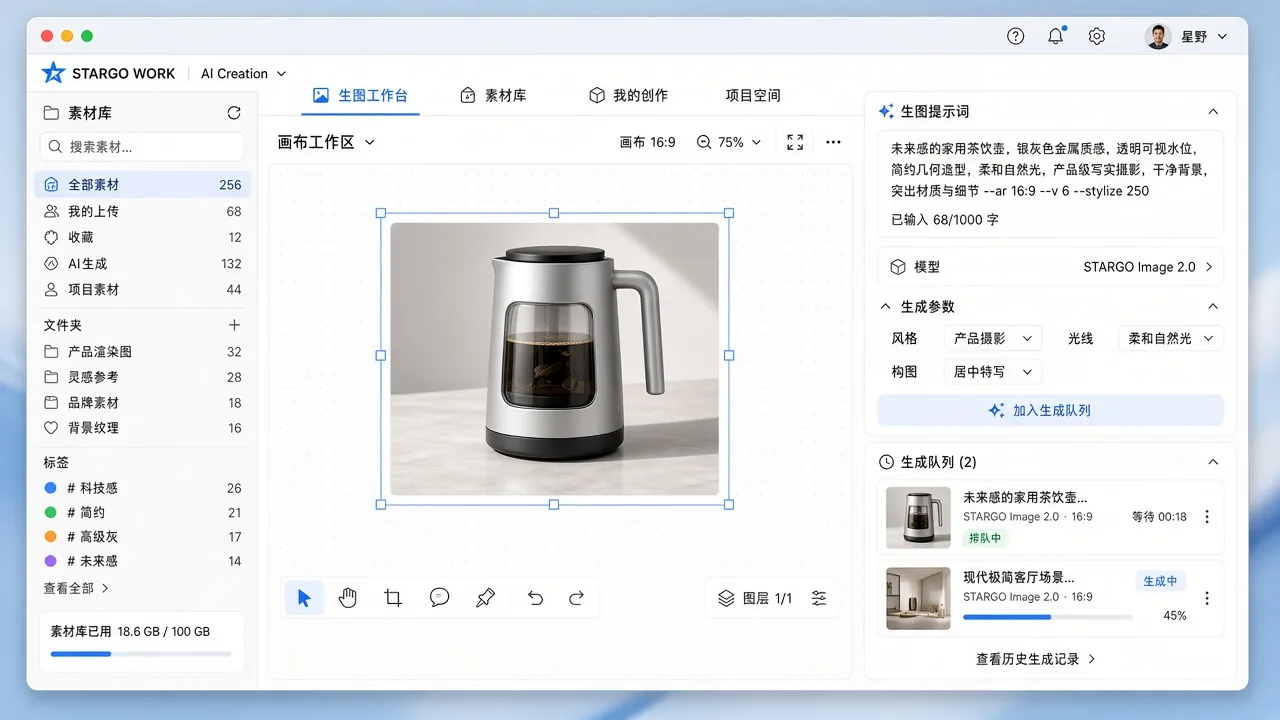
AI creative studio: image and video work starts from one creative desk — Illustrative product interface · demo data

AI Creative · Images & video

Build product images, scenes, detail pages, catalogs and multilingual content from verified product and brand information; turn a brief into a marketing video, or adapt a proven video structure into original work. Generated content is reviewed before use, within the services and credits the company enables.
Growth OS · Prospecting
The growth control tower: market signals, prioritized opportunities and the day’s decisions, with questions about the same account beside them — Illustrative product interface · demo data

Growth OS · Prospecting

Discover target accounts, research companies and contacts, and assess buying signals. Pass approved prospects, product interests and next actions to Sales Desk. Live data and outreach require authorization.
Sales Desk · Trade sales
Sales Desk inquiry handling: inquiries ordered by waiting time on the left; on the right one inquiry’s model, quantity, destination and trade term, and a reply draft that is sent only after approval — Illustrative product interface · demo data

Sales Desk · Trade sales

Bring prospects and inquiries into one sales workspace for CRM, customer history, product matching, replies and follow-up, connected to quotations, approvals, PI and order handoffs. Messaging, price sources and business handoffs require individual integration and validation.
ERP · Operations
The ERP item list: the name, status and item group of 177 STARGO products — Illustrative product interface · demo data

ERP · Operations

Connect demand with products, materials, purchasing, inventory, production, quality, orders, invoices and commerce so sales can understand availability, lead times and outstanding work. Coordination depends on the operating systems configured for the enterprise.
AI Creative · Images & video
AI creative studio: image and video work starts from one creative desk — Illustrative product interface · demo data

AI Creative · Images & video

Build product images, scenes, detail pages, catalogs and multilingual content from verified product and brand information; turn a brief into a marketing video, or adapt a proven video structure into original work. Generated content is reviewed before use, within the services and credits the company enables.
Channel icon
Channel icon
Channel icon
Channel icon
Channel icon
(Discover · Converse · Publish)

Different channels, one business context.

Research sources, conversation channels and publishing platforms serve different purposes. Within authorized integrations, STARGO WORK connects their activity to shared customer, sales and follow-up workflows. A listed platform is not a promise of default access or full read-and-write permissions.
AI creative studio: image and video work starts from one creative desk — Illustrative product interface · demo data
Enterprise context assembling layer by layer (AI concept illustration)
Admission checks: the controlled passage opens only for verified identities (AI concept illustration)
The command cockpit: work lanes and key decisions in one control view — Illustrative product interface · demo data
Specialized instruments collaborate along parallel work lanes (AI concept illustration)
Customer inbox: interest, history and next actions as shared context — Illustrative product interface · demo data

One workspace for everyday business.

(Two ways of working)

Less copying.

More continuity.

Connected work.

The goal is not simply to add or replace people, but to reduce repetitive work and disconnected handoffs.

Fragmented work

One customer’s information can be scattered across email, messages, spreadsheets and order systems.

By hand

(workflow)

The work:

Prospecting: separate manual searches, screened again and again

Sales: messages and files kept apart

Operations: sales chases the back office one by one

Content: handoffs between disconnected tools

Management: asking each person where the work stands

The result:
repeated copying

Request a Demo

STARGO WORK

Keep the customer, the order and the next action connected.

Connected

(workflow)

The work:

Prospecting: evidence, priorities and next steps kept together

Sales: customer context, replies and quotes carried forward

Operations: orders, lead times, payments and service handed on

Content: product facts, brand, assets and versions organized together

Management: owners, blockers, approvals and checked results

The result:
continuous progress

Request a Demo

(FAQ)

It is a browser-based desktop AI operating system for manufacturing and global trade enterprises. Growth OS and Sales Desk lead the business journey, supported by operations, creative work, enterprise knowledge and AI roles, with people retaining approval and decision authority.

A complete replacement should not be assumed. STARGO WORK aims to connect existing accounts and information in one workspace. Which systems are retained, integrated or adjusted depends on the enterprise’s software and access permissions.

It denotes 288 specialized, task-selectable roles across ten enterprise role groups — not trade sales alone. Each role can be configured with responsibilities, knowledge, skills and access, and several can form a team, message each other and complete one task together. The number is not a claim to replace 288 people; the employees enabled, the size of a collaboration and permitted actions depend on configuration, budget and access.

Authorized people do. AI can organize information, prepare drafts and recommend next steps. Quotations, outreach, important commitments, official submissions and payments remain subject to enterprise approval rules. Approval, delivery and outcome checks are distinct steps.

(Where to start?)

Start with one workflow. Expand with verified results. Is your priority prospecting, inquiry follow-up, quotation, order delivery or marketing content?

(Four illustrative scenarios · not customer reviews)

Stargo Work
“Check customer history, product configuration and approved pricing together before quoting.”

Export sales · illustrative scenario

Business context

Stargo Work
“Start with one real workflow and define context, owners, approvals and acceptance.”

Trade manager · illustrative scenario

Implementation

Stargo Work
“Review evidence for a possible reorder window before suggesting follow-up.”

Sales director · illustrative scenario

Proactive reminders

Stargo Work
“Record outcomes, compare approaches and validate improvements before adoption.”

General manager · illustrative scenario

Improving from outcomes

01

02

03

04

/04

(Keep scrolling)

(Pricing · the AI ladder)

One system. The right level of support.

An annual software subscription, with optional website, content and acquisition services. Service prices are first-year totals that already include the subscription; service quantities replace the lower tier rather than stacking.

(Standard)

¥10,000

A 12-month workspace, core trade workflows and self-service lead discovery.

(001)

Stargo Work
¥10,000 first year · renews yearly
Cloud · knowledge · CRM · approval
“Put the company’s knowledge, customers and quotes into one system first.”

Standard · the annual subscription

(Launch)

¥20,000

A 3-page website with 20 SKU pages, Chinese and English content, 20 SKU image sets and 10 short videos.

(002)

Stargo Work
¥20,000 first-year total, subscription included · renewal per proposal
The annual Standard subscription, plus:
“Let AI start working outward.”

Launch · website and content service

(Growth)

¥30,000

A 4-page website with 40 SKU pages, five languages, and SEO / GEO implementation.

(003)

Stargo Work
¥30,000 first-year total, subscription included · renewal per proposal
The annual Standard subscription, plus:
“Not only doing the work — starting to drive growth.”

Growth · a wider website and content build

(Global Acquisition)

¥40,000

A 5-page website with 80 SKU pages, 18 languages, plus three months of configured acquisition operation and 3 monthly reports.

(004)

Stargo Work
¥40,000 first-year total, subscription included · renewal per proposal
The annual Standard subscription, plus:
“Self-service acquisition is in Standard; this plan runs it for you for three months.”

Global Acquisition · configured acquisition operation

(Enterprise)

“Multiple departments, companies, brands and accounts. Complex approvals and system integration. A dedicated FDE. Private deployment.”

Enterprise · Custom

Talk to STARGO Enterprise

(Contact us)

Request a Demo.

Your demo request has been received. We will follow up using the contact details provided.
Your request could not be submitted. Please try again later or use the business contact options on this page.

By contacting us, you accept our Terms and Privacy Policy.